
GeoPeeker now watches your site for you
For years GeoPeeker did one thing. You typed in a URL and saw how the page looked from around the world. That's still here, and still free. The new GeoPeeker also peeks on a schedule, checks that your site is up, watches your DNS, and sends a notification when something breaks. Every notification links to a Peek, so you can see the problem for yourself.
The look is new, but GeoPeeker is still run by the same scrappy team that has been behind it since it launched in 2012.
Hear about GeoPeeker updates
The PeekSuite
One tool became several
GeoPeeker started as one tool for viewing a site from different locations. It is now a set of tools we call the PeekSuite.
GeoPeeker takes the peeks. SiteSeeker watches whether your site is up. DNSKeeper watches your DNS records. They share one account. Free includes one SiteSeeker monitor, and paid plans add more monitors and DNSKeeper.
Your account
What changes if you already use GeoPeeker
Paid plans come with you
- Paid plans carry over. Nothing to re-enter, no new card.
- Your sites come with you. Old peeks stay on the old site.
- Advanced peeks work the same as before, from any of our locations.
- Quick peeks are still free, no account needed.
One free uptime monitor
- Free accounts get one uptime monitor for their site.
- It checks the site every 5 minutes from your peek locations.
- Downtime and recovery notifications go to your account email.
- It starts once you verify your email.
Try Solo free for 30 days
- Free accounts can try Solo for 30 days. No card needed.
- The trial adds checks every minute, more monitors, DNSKeeper, Auto Peeks and Peeks from all 12 locations.
- Start it from your dashboard. One trial per email address.
- If you subscribe during the trial, remaining trial days carry over.
GeoPeeker
See your site from somewhere else
Peeks
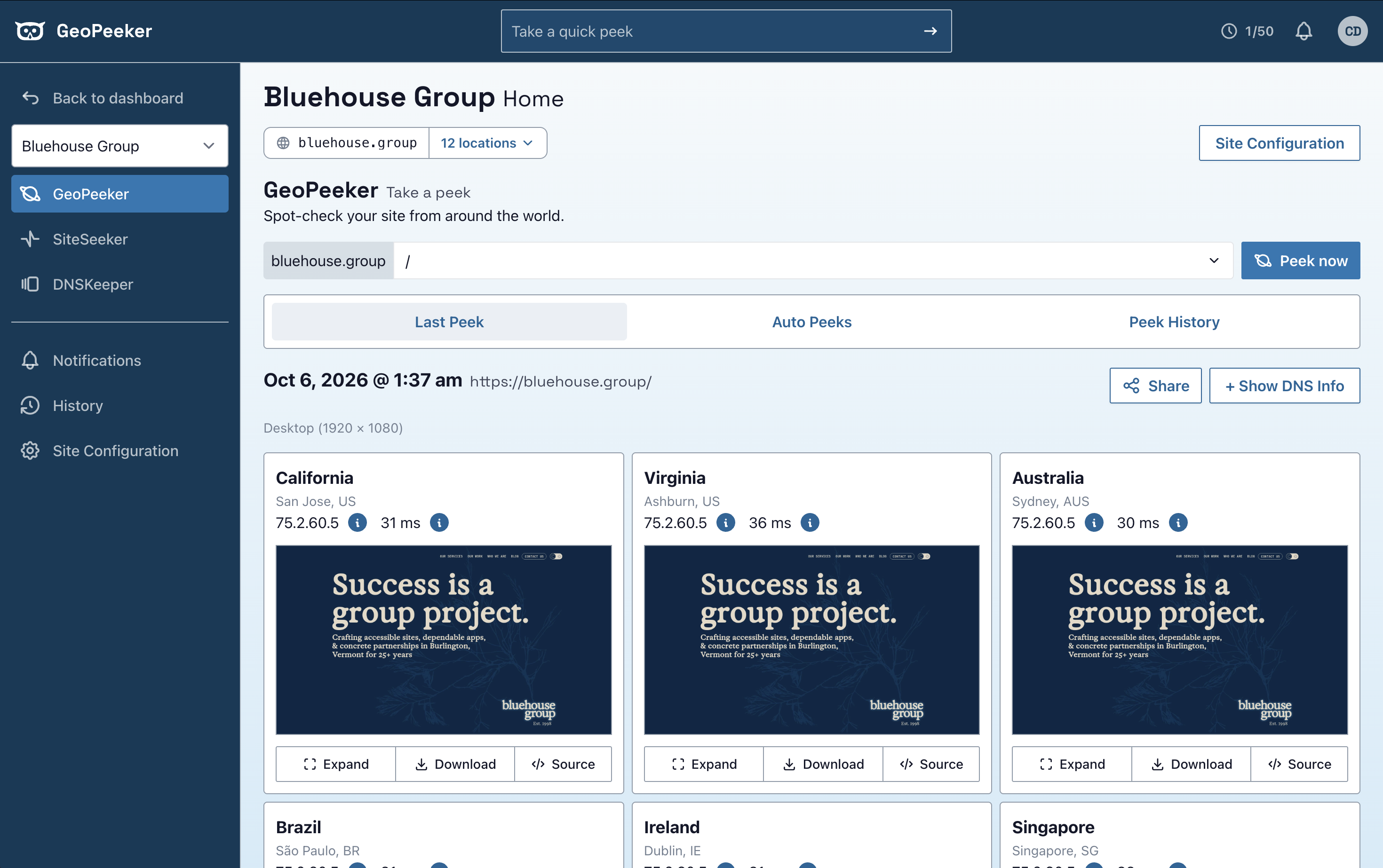
- Every Peek comes directly from real browsers in each location, never through proxies.
- Choose the browser language and screen size for each peek.
- Peek for free from Singapore, Brazil, Virginia, California, Ireland and Australia. Paid plans can also peek from Canada, the United Kingdom, Germany, Sweden, India and Japan.
- Capture the page source from each location on Pro and Team plans.
Auto Peeks
- Auto Peeks run on a schedule. Daily, weekly or monthly, at the time you pick, in your time zone.
- Each one has its own location, screen size, language and render delay.
- Every run is saved, so you can scroll back through how the site looked on any given day.
- Set up several paths per site and give each page its own Auto Peeks.
Sharing, teams and the API
- Share any peek publicly, no account needed. Turn sharing off whenever you like.
- Team plans come with five seats. Add more if you need them.
- Request peeks from your own code with the API, on any paid plan.
- Plans, invoices, add-ons and support requests, all handled in the app.
SiteSeeker
Monitoring that comes with a peek
See what went down
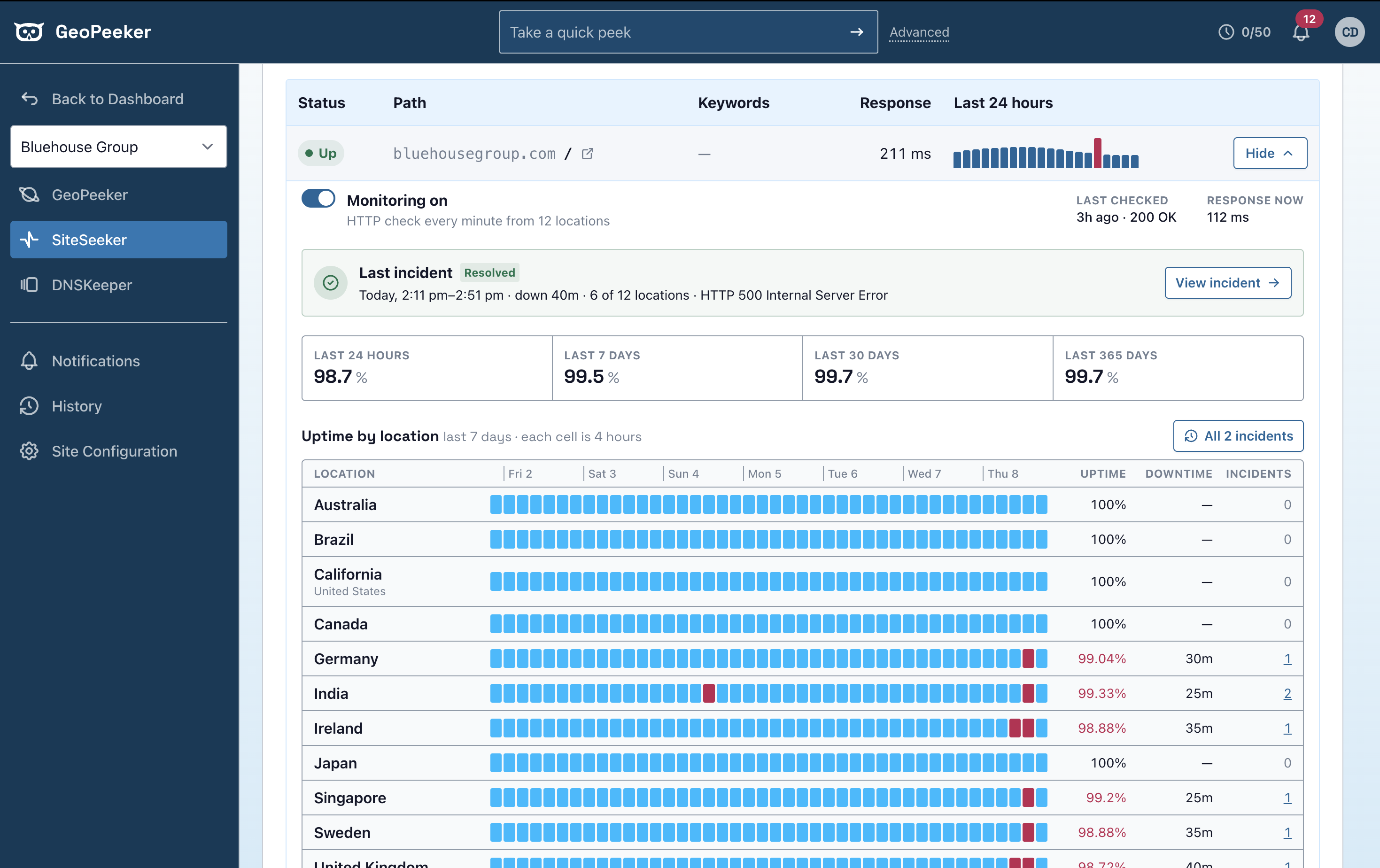
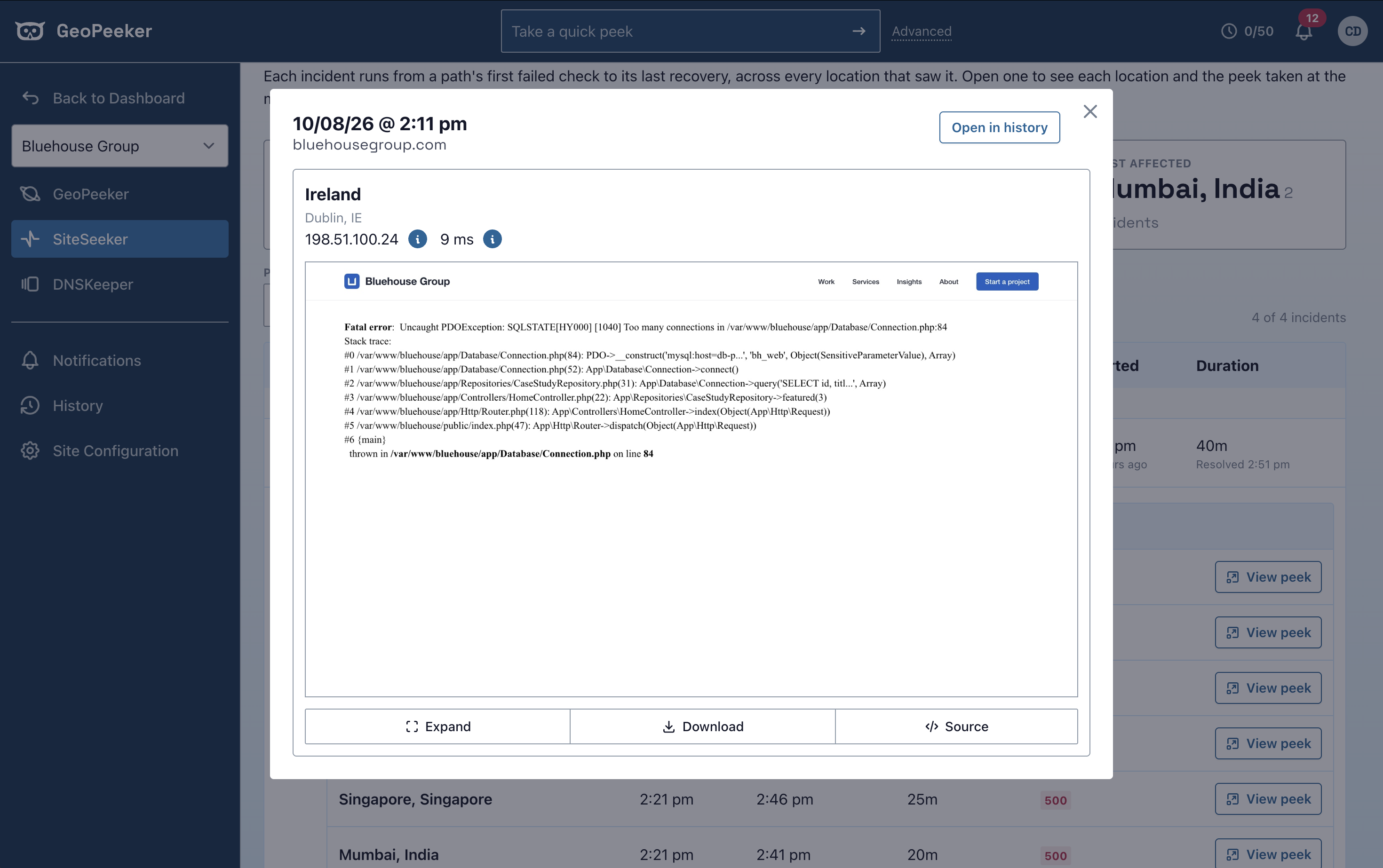
- SiteSeeker checks your site every minute from the locations you pick. When a check fails, that location takes a peek of what visitors are seeing.
- When the site comes back online, SiteSeeker takes another Peek. Both Peeks go in the site's history.
- Down in Ireland, fine in Virginia? Now you know it's regional.
Monitors and notifications
- Uptime monitors check that the page responds.
- Keyword monitors check that a phrase is still on the page. If it goes missing, that counts as down.
- SSL monitors send a notification a week before your certificate expires.
- Notifications by text, email or Slack, with a link to the Peeks.
- Each team member chooses their own notifications.
DNSKeeper
Know when your DNS changes, and what it did
A peek after every change
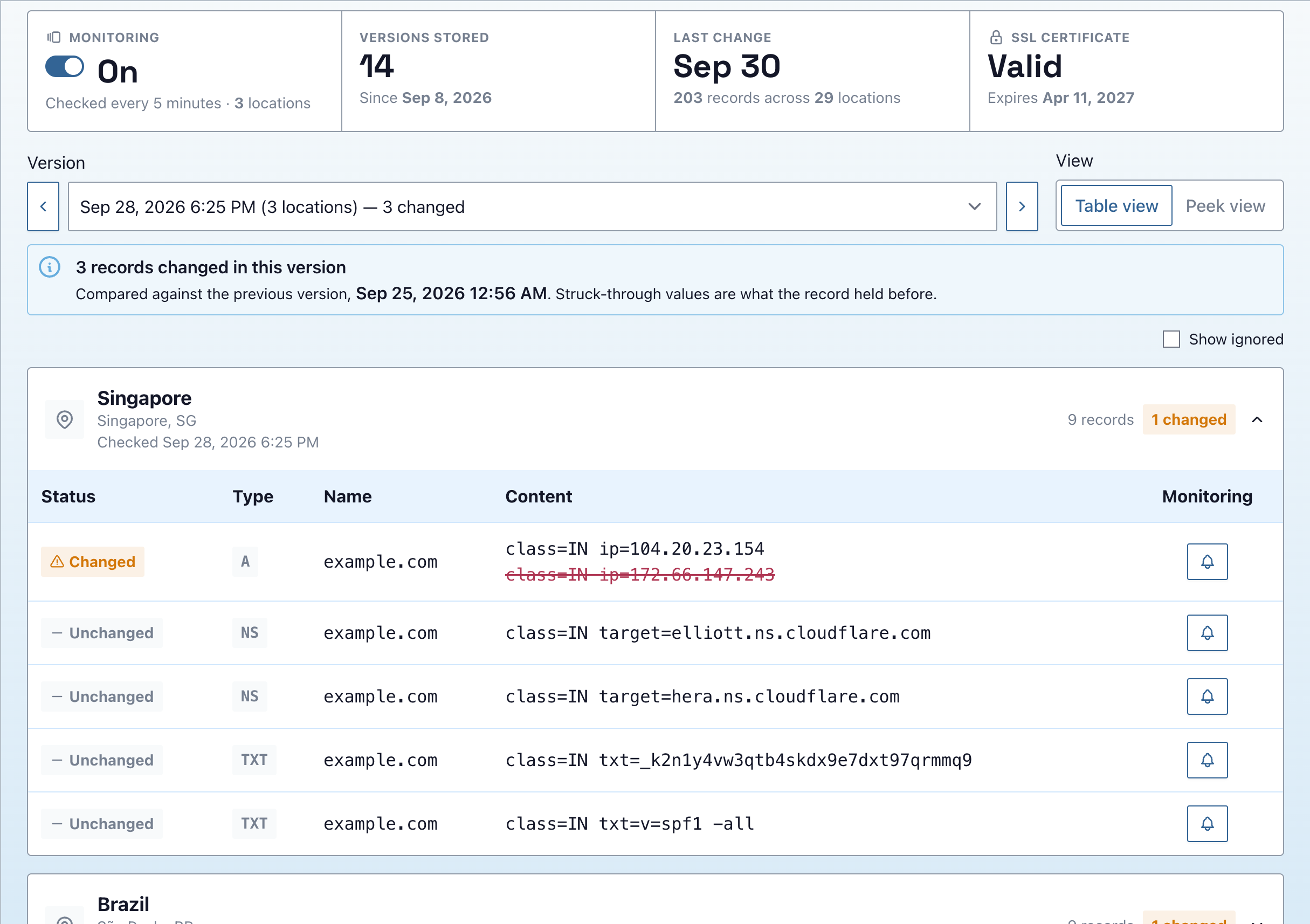
- DNSKeeper checks your DNS records every five minutes. When one changes, you get a notification and a Peek.
- Every change is kept, old value and new, for as long as you've had DNSKeeper on. If you need to revert a record, the old value is there.
- Moving hosts? Watch the change land and see whether the site still loads.
Have questions?
Email us at [email protected].