SiteSeeker
Know when your site goes down
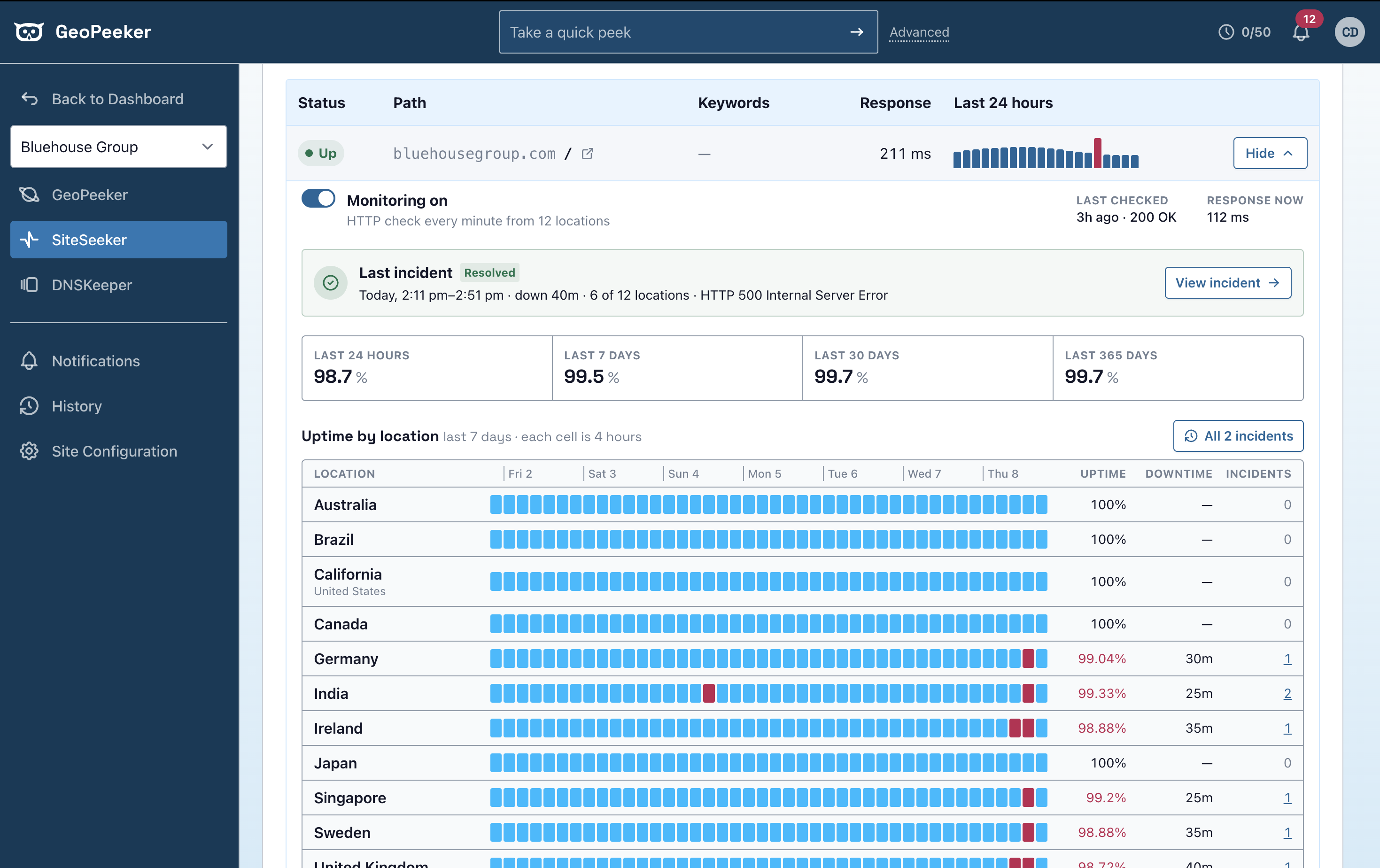
SiteSeeker checks your site every minute from the locations you pick. When a check fails, you get a notification and a Peek of what visitors saw from that location.
How SiteSeeker works
-
1
Pick your paths and locations
Add the pages you care about and choose where to check them from. SiteSeeker requests each one every minute and records the response.
-
2
Get an alert when a check fails
Alerts go out by text, email or Slack, with a link to the Peeks. Each team member chooses their own alerts.
-
3
See it go down and come back
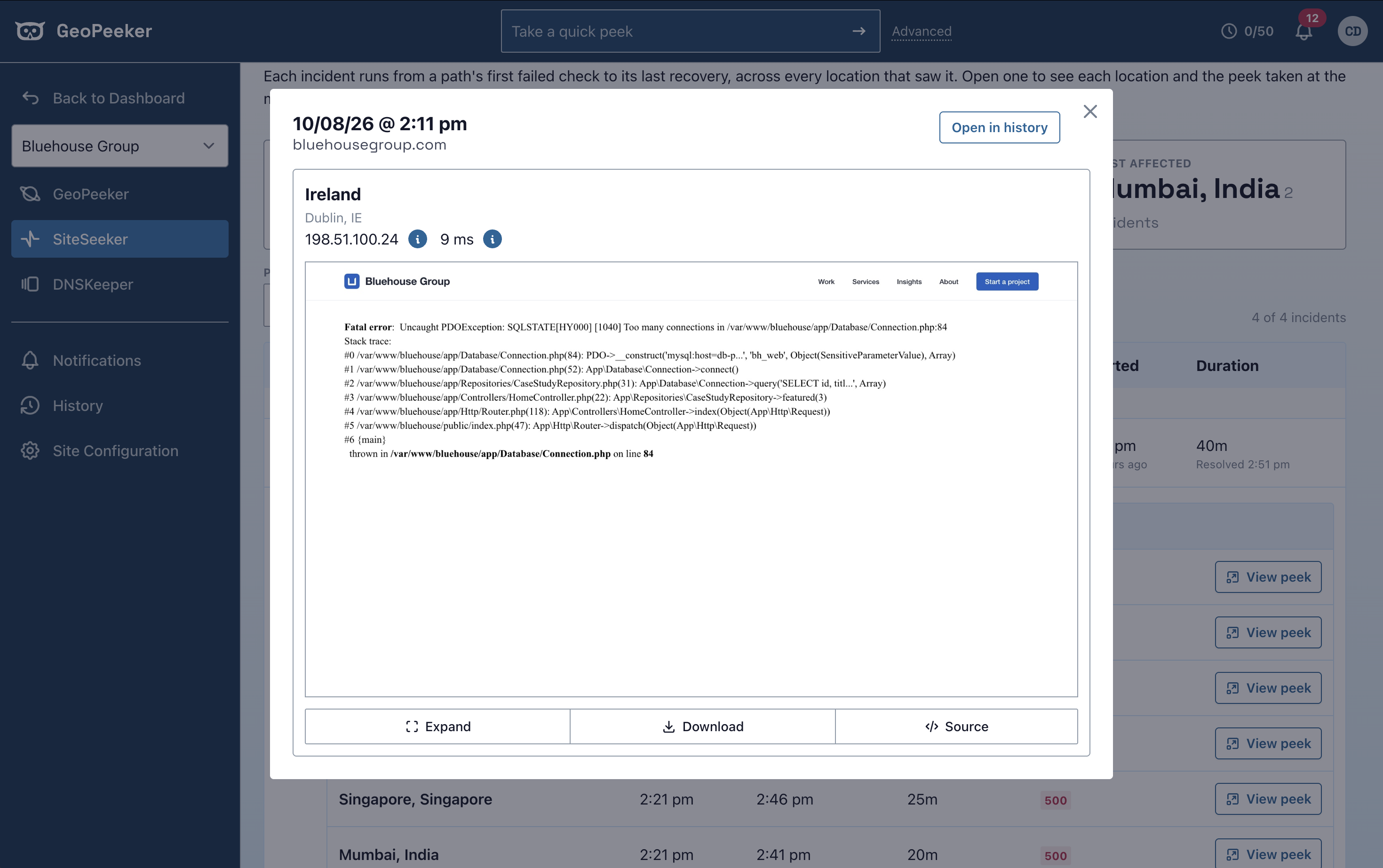
The failing location takes a Peek of the page. When the site recovers, it takes another. Both go in the site's history.
Every alert comes with a Peek
The incident lists every location that failed and the Peek each one took. If Ireland is down and Virginia is fine, the problem is regional. Open a Peek to see the error your visitors got.
The rest of the PeekSuite
PeekSuite
All-in-one site spot-checking
The PeekSuite is our collection of apps that make up the GeoPeeker experience.
Explore
GeoPeeker
See your site from somewhere else
Every Peek comes from a real browser in that location. Peek from up to 12 locations at once.
Explore
DNSKeeper
Know when your DNS changes, and what it did
Checks your DNS records continuously. When one changes, you get an alert and a Peek.
Explore